
Introduction
Generating leads is only half of the marketing job.
The harder question begins after someone submits the form:
What happens next?
A visitor clicks a Google Ad, completes a landing-page form and becomes a lead. The marketing campaign reports a conversion. The team feels good about the result.
But then the lead sits in an inbox.
Nobody calls.
The CRM isn’t updated.
The sales team doesn’t know where the lead came from.
The follow-up happens two days later.
Sometimes, it never happens.
This is lead leakage.
And it can quietly reduce the business value of an otherwise successful marketing campaign.
This is where n8n can become useful.
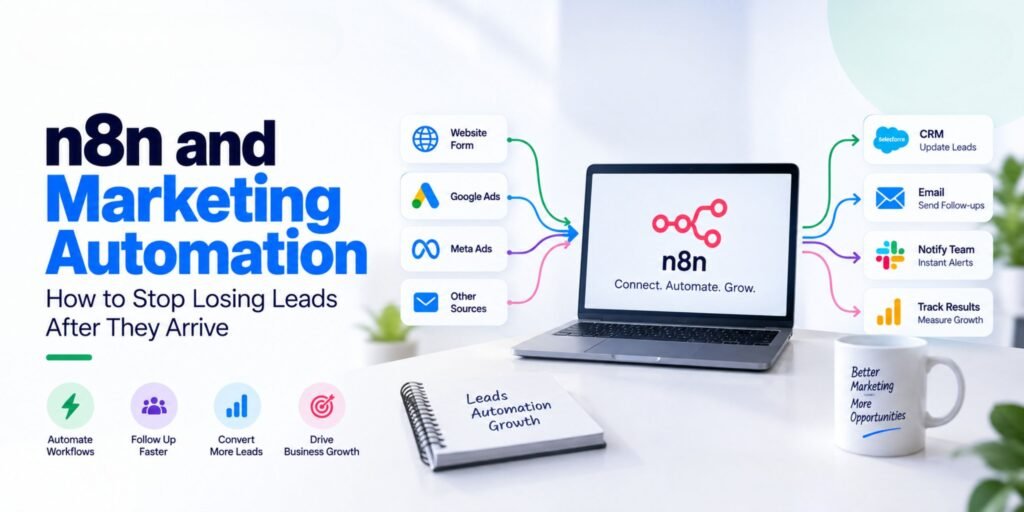
n8n is a workflow automation platform that can connect marketing tools, CRMs, databases, communication platforms and AI services into automated workflows. Its lead-management use cases include capturing leads, enriching information, moving leads between systems and triggering actions when lead activity changes.
The important point, however, is that automation is not the solution to every problem.
A bad process automated is still a bad process—only faster.
The goal should be to first understand the lead journey and then automate the repetitive parts.
What Is n8n?
n8n is a workflow automation platform that allows businesses to connect applications and build automated processes using a visual, node-based workflow.
A simple workflow might look like:
Website Form
↓
n8n Webhook
↓
Validate Lead
↓
CRM
↓
Notify Sales
↓
Follow Up
n8n can connect with different applications and services, and its official lead-management use cases include CRM integrations, lead enrichment and automated actions based on events.
For marketers, this means the platform can sit between different parts of the marketing and sales system.
The Real Problem: Leads Are Often Lost After Conversion
Imagine a business spends ₹1,00,000 on advertising.
The campaign generates:
500 clicks
↓
50 leads
↓
30 qualified leads
↓
10 sales opportunities
At first glance, 50 leads sounds positive.
But now consider what happens operationally.
Five leads aren’t entered into the CRM.
Eight leads don’t receive a timely response.
Seven leads are assigned to the wrong salesperson.
Some leads are never followed up.
The marketing team may still report:
50 leads generated.
But the business experiences something very different:
A significant number of opportunities were never properly handled.
This is why performance marketing cannot stop at the conversion.
The complete system needs to consider:
Lead generation → Lead capture → Lead qualification → Lead routing → Follow-up → Sales → Revenue
Where Lead Leakage Happens
Lead leakage can happen at multiple points.
1. The Form Submission Isn’t Captured Properly
A visitor submits a form, but the data doesn’t reach the CRM.
Possible causes include:
- Broken integration
- Incorrect field mapping
- API failure
- Duplicate prevention logic
- Validation problems
- Authentication issues
An automation workflow can validate incoming data and route it to the appropriate destination.
n8n workflows published in its template library demonstrate webhook-based lead capture, validation and CRM handoff.
2. The Lead Reaches the CRM but Nobody Notices
The lead exists in the CRM.
But the sales team doesn’t receive a notification.
This creates another gap.
A simple workflow could be:
New Lead
↓
Create CRM Record
↓
Send Slack/Email Alert
↓
Assign Sales Owner
n8n’s published lead workflows include examples of notifying sales teams through tools such as Slack after capturing a lead.
3. Every Lead Gets the Same Treatment
A high-intent lead and a low-intent enquiry should not necessarily receive identical treatment.
For example:
Lead A
“I want to book a demo this week.”
Lead B
“Please send me more information.”
Lead C
“What is the price?”
These signals can indicate different levels of intent.
A workflow can use defined rules—or AI where appropriate—to classify leads into categories such as:
HIGH INTENT
MEDIUM INTENT
LOW INTENT
Some n8n lead-management workflows demonstrate AI-assisted scoring, classification and routing.
However, automated scoring should be validated against real sales outcomes rather than treated as inherently accurate.
A Practical n8n Lead Management Workflow
Let’s build a simple example.
Step 1: Capture the Lead
The visitor completes a website form.
Information might include:
- Name
- Phone
- Company
- Service interested in
- Message
- Lead source
- Campaign
- Landing page
The form sends the information to an n8n webhook.
Website Form → n8n Webhook
Step 2: Validate the Information
Before sending the lead everywhere, check the basic information.
For example:
Is email present?
Yes → Continue
No → Reject or flag
Then:
Is the email format valid?
Yes → Continue
No → Flag for review
This prevents obvious bad data from entering downstream systems.
n8n workflow examples show validation and normalization steps before passing lead records into CRMs or other systems.
Step 3: Clean and Standardise the Data
Different systems may use different field formats.
For example:
First Name
Last Name
Phone
Company
Lead Source
Campaign
Message
Timestamp
The automation can standardise these fields before sending the lead to the CRM.
This becomes especially useful when leads come from multiple sources.
Step 4: Add the Lead to the CRM
Now the workflow creates or updates the lead record.
Possible CRM destinations include:
- HubSpot
- Salesforce
- Pipedrive
- Odoo
- Other CRM systems
- Google Sheets for simpler workflows
n8n’s official lead-management material highlights integrations with major CRM platforms, while its workflow templates demonstrate CRM and Google Sheets lead storage.
The important principle is:
Every lead should have a system of record.
Don’t allow important leads to exist only inside someone’s email inbox.
Step 5: Notify the Sales Team
Once the CRM record is created, the sales team can receive a notification.
For example:
NEW HIGH-INTENT LEAD
Name: Rahul
Company: ABC Pvt Ltd
Interest: Performance Marketing Training
Source: Google Ads
Campaign: AI Marketing
Intent: High
Action: Contact within your defined SLA.
The notification could be sent through:
- Slack
- Microsoft Teams
- CRM notifications
- Other communication tools
The exact channel depends on the organisation.
Step 6: Use AI for Lead Classification
This is where AI can add another layer.
A workflow could send selected lead information to an AI model and ask it to classify the enquiry according to predefined criteria.
For example:
Input:
“We have 20 salespeople and want training on Google Ads, GA4 and AI automation for our marketing team.”
Possible output:
Intent: High
Type: Corporate Training
Priority: High
Recommended action: Sales consultation
The important word here is predefined.
Don’t simply tell AI:
“Tell me if this is a good lead.”
Define what “good” means.
For example:
- Budget fit
- Service fit
- Geographic fit
- Timeline
- Company size
- Product interest
- Buying intent
n8n examples show AI-assisted lead scoring and routing workflows using structured criteria.
Step 7: Route the Lead
Once the lead has been classified, the workflow can route it.
For example:
HIGH INTENT
→ Sales team
MEDIUM INTENT
→ Sales + nurture
LOW INTENT
→ Educational nurture
This can prevent salespeople from manually sorting every enquiry.
Step 8: Send an Immediate Response
The lead should know that the enquiry was received.
For example:
“Thanks for contacting us. We’ve received your enquiry and a team member will get back to you.”
This isn’t necessarily the final sales message.
It’s simply confirmation.
A good automation distinguishes between:
Acknowledgement
and
Actual sales follow-up.
n8n workflow examples demonstrate automatic acknowledgement emails after lead capture.
Step 9: Create a Follow-Up Reminder
Now comes one of the most important parts.
Suppose a lead remains untouched.
The workflow can check its status later.
For example:
Lead Created
↓
Wait
↓
Check CRM Status
↓
Still New?
Yes → Send reminder
No → Stop
An n8n example demonstrates this exact type of logic: a lead is created, a follow-up interval is observed, and the system checks whether the lead remains in a new stage before sending another reminder.
This is much better than simply sending endless automated messages.
Step 10: Log Everything
A good automation should create an audit trail.
Record:
- Lead received
- Validation result
- CRM record created
- Lead score
- Assignment
- Notification sent
- Email sent
- Follow-up scheduled
- Sales status
- Final outcome
This makes troubleshooting and reporting easier.
It also helps marketers answer:
Where are our leads actually being lost?
Where AI Fits Into n8n Marketing Automation
AI can make automation more useful, but it shouldn’t be inserted into every step.
Use AI where interpretation is needed.
For example:
Traditional Automation
Lead → CRM → Notification
This is deterministic.
AI-Assisted Automation
Lead → AI Classification → CRM → Routing → Notification
AI can help with tasks such as:
- Lead classification
- Message summarisation
- Intent detection
- Email drafting
- Content personalisation
- Reply classification
- Report summarisation
n8n’s workflow library includes examples of AI being used for lead scoring, reply classification and personalised outreach.
ChatGPT, Claude and Gemini Can Fit Into the Workflow
n8n doesn’t have to be limited to one AI model.
Depending on the workflow and available integrations, marketers can connect AI services to automation.
For example:
Lead Form
↓
n8n
↓
AI Model
↓
Classify / Summarise
↓
CRM
↓
Sales Notification
A marketer could use AI to:
ChatGPT
Summarise lead enquiries and generate structured classifications.
Claude
Analyse longer enquiry information or complex documents.
Gemini
Work with Google-centric workflows where its ecosystem integrations are useful.
The choice should be based on the task, integration requirements, cost, privacy considerations and reliability—not simply which AI tool is currently trending.
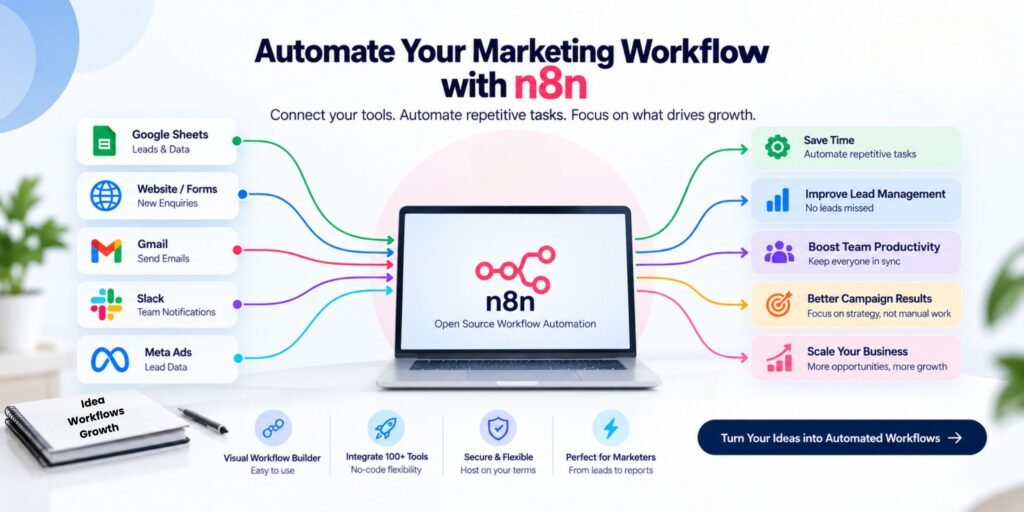
n8n + GA4 + GTM: Connect Marketing and Lead Operations
Here’s where the workflow becomes more powerful for performance marketers.
Your advertising system may tell you:
Google Ads → 50 conversions
GA4 may help you understand:
Traffic → Engagement → Key Events
GTM helps manage the tracking implementation.
But the CRM tells you:
50 leads → 22 qualified → 8 opportunities → 3 customers
Now you can connect the marketing and sales journey.
A broader system might look like:
Google Ads / Meta Ads
↓
Website
↓
GTM
↓
GA4
↓
Lead Form
↓
n8n
↓
CRM
↓
Sales Team
↓
Revenue
This is much closer to actual performance marketing.
Why This Matters for Performance Marketers
Many marketers stop measuring at:
Cost per Lead
But businesses ultimately care about:
Revenue
Suppose:
Campaign A
100 leads
₹500 CPA
Campaign B
60 leads
₹700 CPA
At first glance, Campaign A appears cheaper.
But suppose:
Campaign A produces 5 customers.
Campaign B produces 12 customers.
Now the business question changes.
You need to know:
Which campaign generates better business outcomes?
This requires connecting marketing data with sales data.
Automation can help maintain that connection.
Common n8n Automation Mistakes
1. Automating Before Documenting
Don’t start by building nodes.
Start by mapping the process.
Write:
Trigger → Decision → Action → Owner → Exception
If you cannot explain the process on paper, you probably aren’t ready to automate it.
2. Sending Everything to AI
Not every task needs AI.
Use normal automation for deterministic tasks:
Form → CRM
Use AI when interpretation is genuinely required:
Lead message → Intent classification
This makes workflows simpler and more predictable.
3. No Error Handling
What happens if:
- CRM is unavailable?
- Email fails?
- AI returns malformed data?
- The webhook receives incomplete information?
- A duplicate lead arrives?
A production workflow needs error handling and monitoring.
4. No Duplicate Prevention
A lead may submit a form twice.
Without duplicate handling, you could create:
Lead #1
and
Lead #2
for the same person.
That can create:
- Duplicate CRM records
- Multiple sales calls
- Duplicate emails
- Confusing reporting
Build duplicate checks into the process.
5. No Human Review
Some leads should be routed to people rather than handled completely by automation.
For example:
- High-value enterprise opportunities
- Sensitive enquiries
- Complaints
- Unusual requests
- Low-confidence AI classifications
Automation should support the sales team—not remove judgment where judgment is necessary.
A Simple n8n Workflow for Beginners
If you’re new to automation, don’t build a 50-node workflow.
Start here:
Website Form
↓
Webhook
↓
Validate Lead
↓
Google Sheet / CRM
↓
Email Notification
↓
Follow-Up Reminder
Once this works reliably, add:
AI Qualification
Then:
Lead Routing
Then:
Reporting
Then:
CRM + Revenue Feedback
Build complexity gradually.
A More Advanced Workflow
For a mature marketing operation, the workflow could become:
Google Ads / Meta Ads / Website
↓
Lead Capture
↓
Data Validation
↓
Duplicate Check
↓
Lead Enrichment
↓
AI Classification
↓
┌────────┴────────┐
↓ ↓
High Intent Nurture
↓ ↓
Sales Email
↓ ↓
CRM Update Follow-up
└────────┬────────┘
↓
Outcome Tracking
↓
Revenue Reporting
The exact architecture will depend on the business, CRM, data sources and compliance requirements.
The Most Important Rule: Fix the Process First
Automation can remove repetitive work.
It can reduce manual data entry.
It can trigger notifications.
It can route leads.
It can help classify enquiries.
But it cannot determine whether your underlying process makes sense.
Imagine this process:
Lead arrives → Wait 3 days → Send email → Wait 5 days → Call
Automating it doesn’t necessarily make it good.
You should first ask:
- Why three days?
- Why five days?
- Who owns the lead?
- What qualifies as high intent?
- What happens after no response?
- When should a human intervene?
- How is success measured?
Only after answering those questions should you automate.
How to Measure Whether Automation Is Working
Don’t measure automation only by:
“How many workflows did we automate?”
Measure business outcomes.
Lead Capture
- Lead capture rate
- Failed submissions
- Duplicate rate
Speed
- Lead response time
- Time to assignment
- Time to first contact
Quality
- Qualified lead rate
- Sales acceptance rate
- Opportunity rate
Sales
- Lead-to-opportunity rate
- Opportunity-to-customer rate
- Revenue per lead
Automation
- Workflow success rate
- Workflow failure rate
- Manual intervention rate
The goal isn’t maximum automation.
The goal is less leakage and better outcomes.
n8n and the Future of AI-Powered Marketing
Marketing automation is moving beyond simple:
IF → THEN
AI makes it possible to introduce interpretation into workflows.
For example:
IF lead arrives
↓
Analyse message
↓
Classify intent
↓
Choose workflow
↓
Generate appropriate response
↓
Update CRM
↓
Notify human when necessary
That is more sophisticated than basic automation.
But it also introduces new responsibilities around:
- Data quality
- Permissions
- Privacy
- Prompt design
- AI accuracy
- Human oversight
- Error handling
The more powerful the workflow becomes, the more important governance becomes.
Final Thoughts
Generating a lead is not the finish line.
It’s the beginning of the sales process.
If your business spends money on Google Ads, Meta Ads, SEO or other acquisition channels but handles every new lead manually, there may be unnecessary gaps between marketing and sales.
n8n can help connect those systems.
A practical lead workflow might look like:
Capture → Validate → Store → Qualify → Route → Notify → Follow Up → Measure
Add AI where interpretation is useful.
Keep deterministic tasks simple.
Track errors.
Protect customer data.
And most importantly:
Document the process before you automate it.
Because the goal of marketing automation isn’t to build the most complicated workflow.
It’s to make sure that when a valuable lead arrives, the right information reaches the right person at the right time—and the opportunity doesn’t disappear.
The modern performance marketing stack is becoming:
Ads + Landing Pages + GTM + GA4 + CRM + n8n + AI + Human Judgment That combination turns lead generation into an actual revenue workflow.